

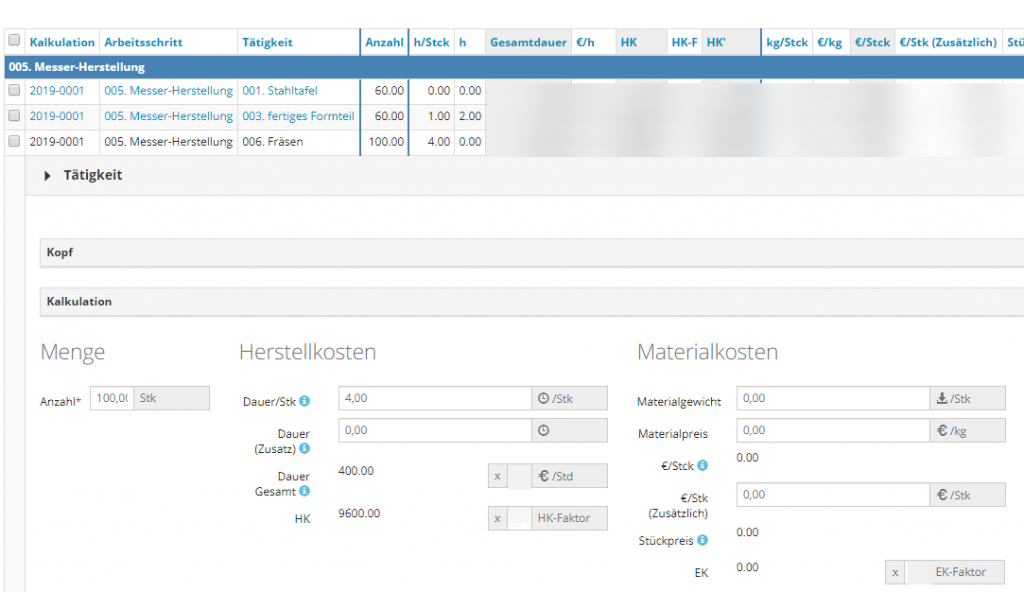
After you have enabled our Inline-Detail-View Plugin for a table it will be used in table view. There may be situations in which you don't want it, for example if certain users are used to open up a detail view in a separate page.
This is a full sample for conditionally disabling/enabling the plugin in PHP. There is a whitelist mode (enable for certain users) and a blacklist-mode (enable for all but certain users).
Prerequisites
- Purchase, Download, Install the AppGini Helper Inline Detail View Plugin
- Enable Inline-DV for your table
Sample Code
...
function YOURTABLENAME_init(&$options, $memberInfo, &$args)
{
		/* Inserted by Inline-Detail-View Plugin on 2020-02-07 09:36:32 */
		// DO NOT DELETE THIS LINE
		require_once("plugins/inline-dv/InlineDV.php");
		$options->SeparateDV = 0;
		/* End of Inline-Detail-View Plugin code */

		// select inline-dv-mode:
		// blacklist     : ON for all users except users in $usernames-array
		// whitelist     : ON for all users in $usernames-array
		// off           : OFF for all users
		// any other mode: ON for all users

		$mode = 'whitelist'; // <--- CHANGE THIS { 'blacklist' | 'whitelist' | 'off' | * }

		// array of usernames
		// in blacklist-mode: these are the users who WILL NOT get inline-dv
		// in whitelist-mode: these are the users who WILL GET inline-dv
		// other modes: ignored
		$usernames = ['admin', 'user1', 'user2'];

		// DO NOT CHANGE THE LINES BELOW ------->
		$username = $memberInfo['username'];
		switch ($mode) {
			case 'blacklist':
				$inline_dv_enabled = !in_array($username, $usernames);
				break;
			case 'whitelist':
				$inline_dv_enabled = in_array($username, $usernames);
				break;
			case 'off':
				$inline_dv_enabled = false;
				break;
			default:
				$inline_dv_enabled = true;
				break;
		}
		$options->SeparateDV = !$inline_dv_enabled;// disable inline-dv for blacklist-users
		// <------------------ END

	return TRUE;
}
...
Usage
- Open your hooks file:
hooks/TABLENAME.phpin your code editor - Scroll down to your
TABLENAME_init()function - If you have enabled Inline-DV for this table, you will find inserted code in the first lines of the init-function. Keep those lines, do not change them.
- From the code shown above, copy
lines 10 to 41 - Paste them between the end of the inserted code and your return statement.
- According to your requirements, change
$modeand$usernamesas it has been described in the comments
Tipp
You can code your own, custom conditions for enabling/disabling inline-dv.
Just add
$options->SeparateDV = 0;
if you want to ENABLE inline-dv or$options->SeparateDV = 1;
if you want to DISABLE inline-dv
Examples
Some examples for conditionally enabling/disabling inline detail view:
- by user
as shown above - by group
- by any status field
- depending on display size, for example disable on smartphones
Do you like it?
We can only get better if you give us constructive suggestions for improvement. Just voting "No" without giving reasons or suggestions is not helpful and cannot lead to changes.
If you have been searching for a completely different solution than the subject says, this article can not be and will not be helpful for you. In these cases you should consider not to vote.
This is website feedback, only. This voting is not a support form nor ticket system.